Stop skype from hogging memory in the background, and other random advice
With everyone working / studying / whatever from home, it is likely that people are using Skype. A few days ago, (back when I used Debian) I had noticed that my laptop was having performance issues, and had a look at the processes running in the background, and saw MySQL, Postgres and Skype. You can stop database servers can starting automatically in Linux by doing the following:
sudo systemctl disable postgresql.service
Then, when you want to fire the server up for development, do
sudo systemctl start postgresql.service
Remember: start and stop are one time actions. enable and disable will decide whether the process is automatically started at bootup.
Now, onto Skype. I didn’t see any service for skype which I could disable. And according to htop (cool program, much better than top), it was eating up a considerable amount of memory- who the hell sits on 800MB of RAM while doing nothing (well, firefox, for one)?
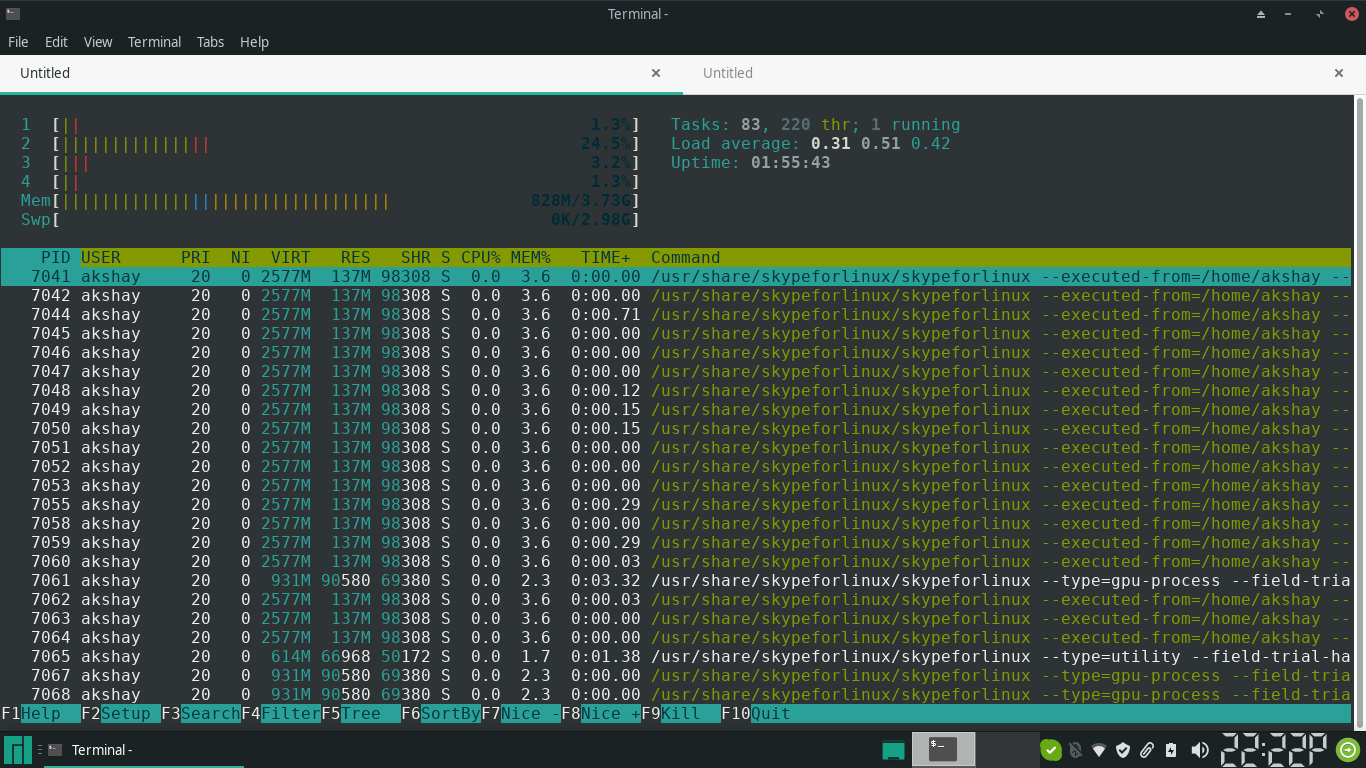
So what I did was this- I used to install and uninstall skypeforlinux before and after every meeting. It turns out that this is not needed. Recently I found out that it provides a setting where you can disable this unruly behaviour
Skype -> Tools -> Settings -> General
And change this:
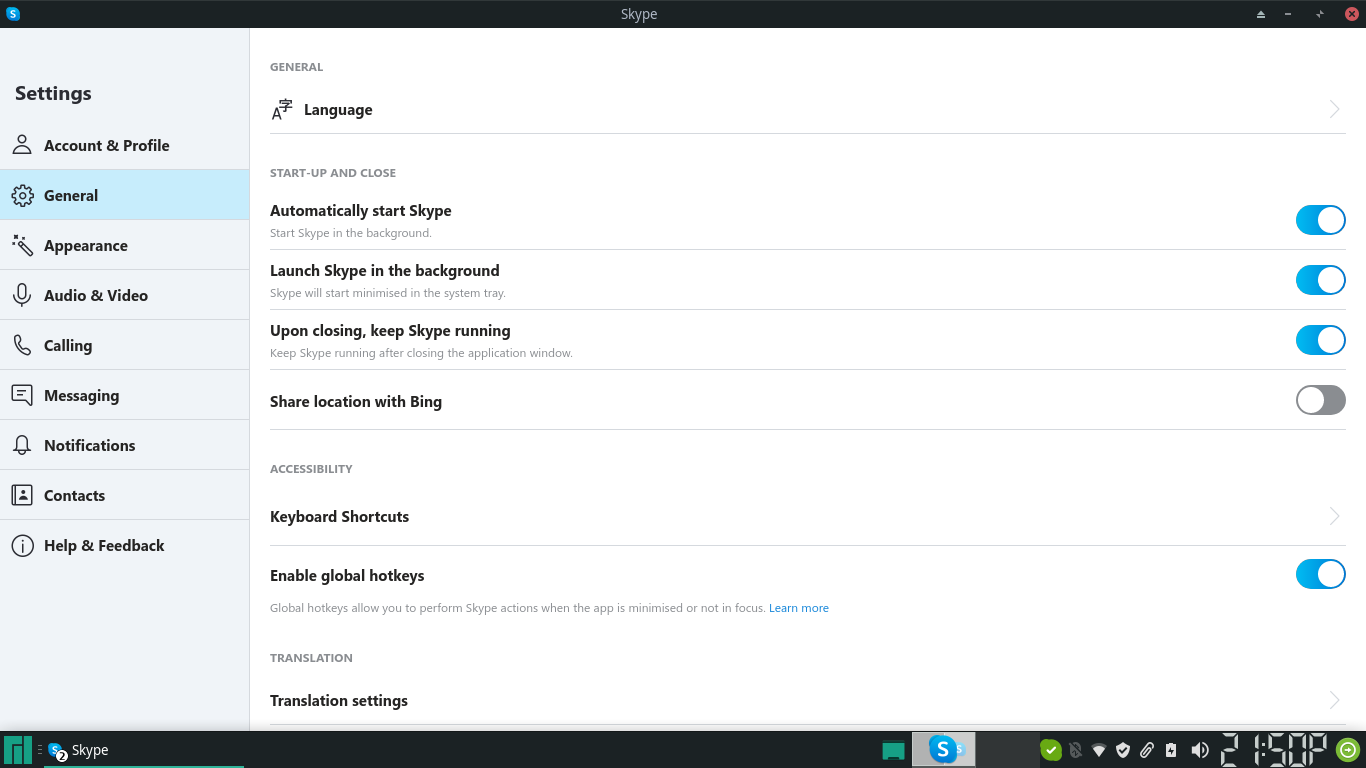
To this
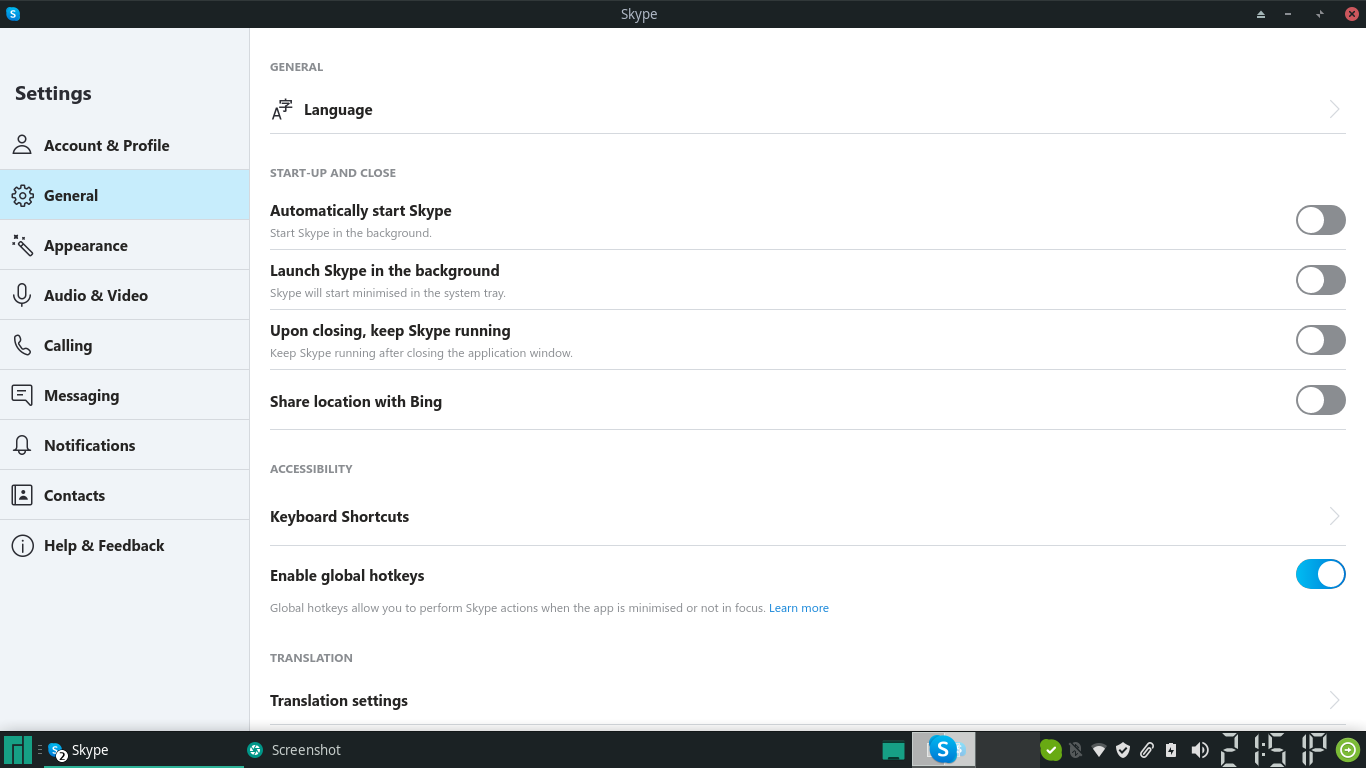
If you already knew this, cheers! If you did not, I implore you to save your RAM. To those with a ton of RAM, what can I say?
If anyone has a practical alternative to firefox which does not eat up memory, I’m all ears! (or eyes, considering the fact that it will mostly be a text communication)